
Integrated into every SecureLineOS device
SecureLine Protect

One app. Complete protection.

SecureLine Protect brings the most important SecureLineOS security protections together in one place — giving you direct control over how your device responds when it is lost, stolen, attacked or physically compromised.

Integrated into SecureLineOS
Primarily local
User configurable
Core protections preserved
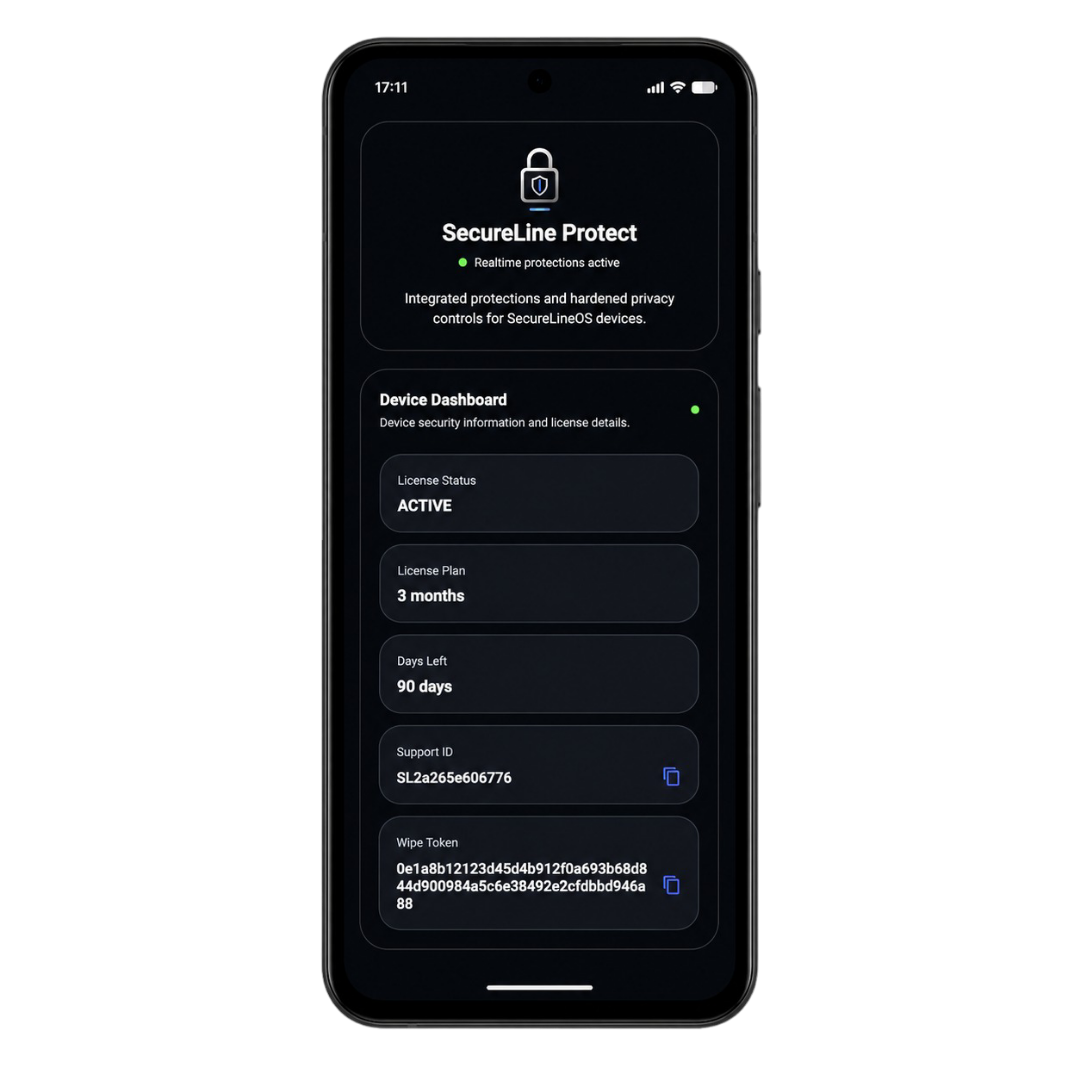
SecureLine Protect dashboard on a SecureLineOS phone
Device status
Protections active
SecureLine Protect overview
Protection overview

All your protections. One clear dashboard.

View protection status, configure supported values and access essential device and license information without relying on a cloud-managed security account.

Remote WipeRemote response
USB ProtectionPhysical access
Panic ProtectionEmergency action
Message Wipe ProtectionSecret-code trigger
Connectivity ProtectionOffline response
Brute Force ProtectionUnlock defence
Inactivity ProtectionTime-based response
Secure Reboot ProtectionReturn to BFU
Remote Wipe

Lose your phone. Not your data.

If your device is lost, stolen, seized or otherwise compromised, Remote Wipe lets you trigger a permanent erase through the SecureLineOS wipe portal. The locally stored data and the encryption keys protecting it are destroyed.

Designed for the moments when physical possession of the device is no longer under your control.
USB Protection

A cable should never become an open door.

SecureLineOS can detect USB data, host and accessory connections and respond according to the protection configuration. Charging-only connections remain separate from unauthorized data access attempts.

Built to reduce exposure when a device is connected to unknown computers, accessories or extraction equipment.
Panic Protection

When every second matters.

Trigger an immediate emergency wipe by rapidly pressing the power button five times. No application needs to be opened and no menu needs to be found first.

A direct hardware-button action for situations where accessing the screen may not be practical.
Message Wipe Protection

A secret message can become the trigger.

Create a private wipe code and allow SecureLineOS to detect it inside an incoming SMS or supported application notification. When the configured code is matched, the device can respond automatically.

The code is configured locally and should be long, unique and known only to trusted people.
Connectivity Protection

Disconnected for too long? Return to a safer state.

When all configured connectivity remains disabled for the selected period, SecureLineOS can automatically reboot the device and return it to the stronger Before First Unlock state.

A configurable response for devices that unexpectedly remain completely offline.
Brute Force Protection

Repeated unlock attempts meet an automatic response.

SecureLineOS monitors failed unlock attempts. Security restarts can return the device to BFU, while the configured brute-force threshold can trigger a complete device wipe.

The wipe threshold can be selected according to the user’s security requirements.
Inactivity Protection

Protection continues while you are away.

If the device is not successfully used within the configured period, SecureLineOS can erase it automatically. This helps protect data on devices that are abandoned, held or left unattended for too long.

The inactivity period is configurable directly through SecureLine Protect.
Secure Reboot Protection

Bring the device back to BFU automatically.

A configurable timer can reboot the phone after the selected period and return encrypted user data to the Before First Unlock state, where credentials are required again before user data becomes available.

Designed to reduce the time a device remains in the less protected After First Unlock state.
App experience

Everything important stays clear and within reach.

The dashboard gives you a direct overview of protection status, configurable values, license information and essential device identifiers.

How it works

Simple to control. Ready when it matters.

1

A condition occurs

A lost device, USB connection, unlock attempts or another configured event.

2

SecureLineOS detects it

The relevant system-level protection evaluates the condition.

3

Your configured rule applies

The selected timer, threshold or action determines the response.

4

The device responds

Secure reboot, lock or permanent wipe is performed when required.

Frequently Asked Questions

SecureLine Protect explained.

SecureLine Protect is the integrated application used to view, configure and understand the additional SecureLineOS protection features available on the device.
Most protections operate locally. Remote Wipe and message-based triggers require the relevant request or message to reach the device.
No. Personal protection values are configured locally. SecureLineOS does not provide a remote administration panel for changing those settings.
The device is permanently erased and the encryption keys protecting locally stored user data are destroyed.
Supported protections provide selectable values, thresholds or enable/disable controls. Selected core protections remain preserved by design.
The security protections remain active. The device may later enter the defined restricted mode until the license is renewed.
No. It is integrated and pre-installed as part of every supported SecureLineOS device.
SecureLine Protect is supplied on the Google Pixel models offered directly as SecureLineOS devices.
SecureLine Protect

Ready to protect what matters most?

Choose a SecureLineOS device with SecureLine Protect, the SecureLineOS framework and the complete integrated ecosystem prepared before delivery.

SecureLine Protect on a SecureLineOS device